Sales Events make it possible to place selected products on sale for a defined period, automatically applying the event’s discount when those items are added to an invoice. Each event includes a description, included products, discount settings, optional reward points, and a date range that can be open‑ended if an end date is not specified.
From the Product menu, select Sales Events.

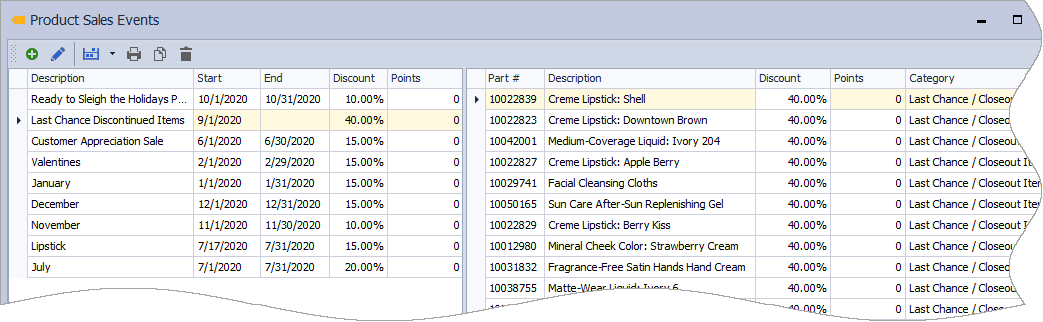
The Product Sales Events form is divided into two sections. The table on the left contains the sales events. The table on the right shows the products that are on sale in the selected sales event.
-
 : Create a new product sales event
 -
 : Edit an existing product sales event
 -
 : Add individual items, categories, or groups of products to a new or existing product sales event
 -
 : Print the selected sales event
 -
 : Copies the selected sales event to the clipboard
 -
 : Delete an existing product sales event
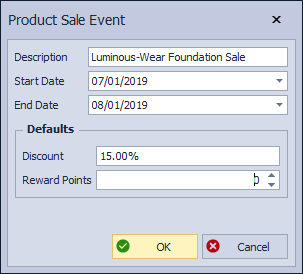
Each sales event consists of a name or description, the time frame of the sale, products included and sets the default discount percentage and Reward Points (if tracking rewards).
- Description: A unique, internal description for the event
- Start Date: Beginning date of the event
- End Date: The Ending date of the event
- Default Discount: Used by default when items are added to the event
- Reward Points: Assign points to be earned when items are purchased