A Statement of Account can be printed to show a customer’s full account activity, including invoices, payments, and their running balance. You can also print Account Balance Transactions to show only the account‑balance‑related entries. Both options are available from the contact list toolbar, and the statements can be printed or exported.
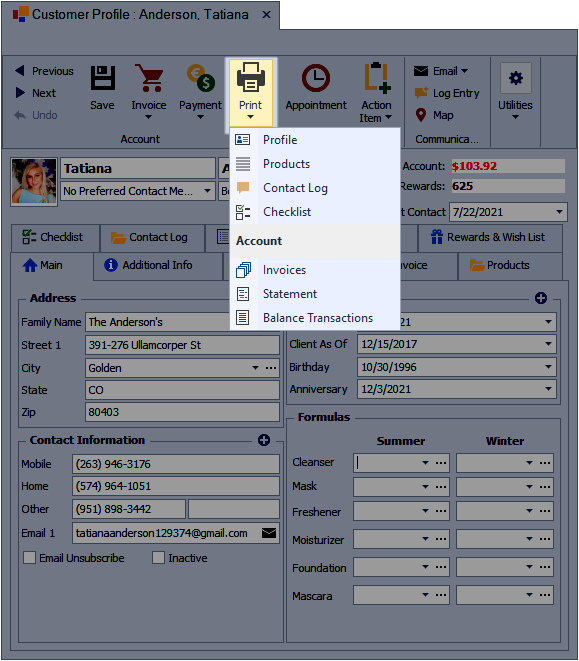
To print a Statement of Account or Account Balance Transactions, open the contact profile. From the profile toolbar, click  Print, then under Account, select either Statement or Balance Transactions.
Additional Information:
- See Print Preview Toolbar Options to export as a PDF, Excel, or other file formats.