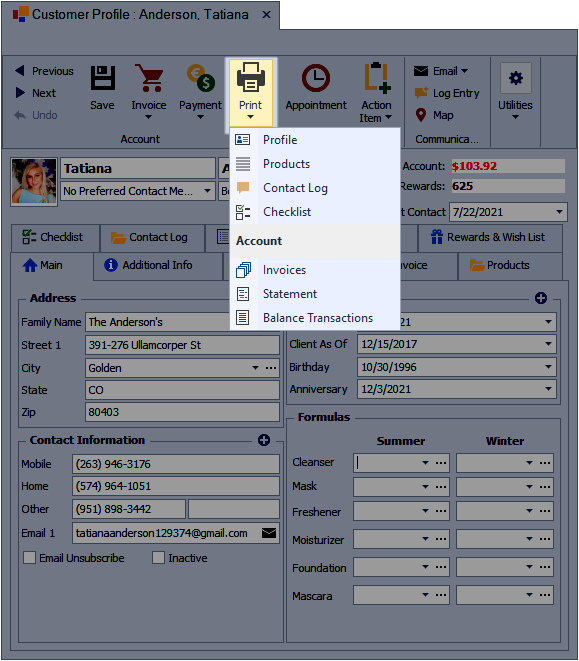
The print options from a contact profile allow you to generate hard copies or digital files of key information such as the profile, product purchase history, log entries, and other related details for reference or recordkeeping.
To print a customer profile, their past product purchases, contact log, or checklist, open their profile. From the profile toolbar, click  Print then select either Profile, Products, Contact Log, or Checklist.