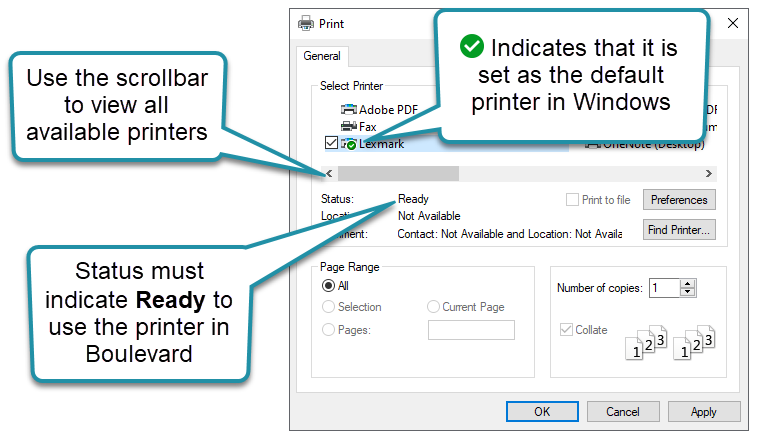
Boulevard relies on the default printer set in Windows. Before printing, confirm that the correct printer is installed and that its status is Idle (available and not offline), then select it in Boulevard’s Print Setup window. This ensures Boulevard uses the intended printer for all print jobs.
Options:
If you need additional help than what is provided below, please visit Microsoft's website for more information on installing a printer in Windows or setting a default printer in Windows.
Windows 11
- From the File menu, select Print Setup.
- From the Printer drop-down menu, select the printer you'd like Boulevard to use.
- When finished, select Print.

Windows 10
Before setting the default printer in Boulevard, make sure it has been successfully installed and set as the default in Windows first.
From the File menu, select Print Setup.
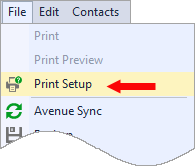
From the Select Printer section, select the printer you'd like Boulevard to use, then click OK to save and close.