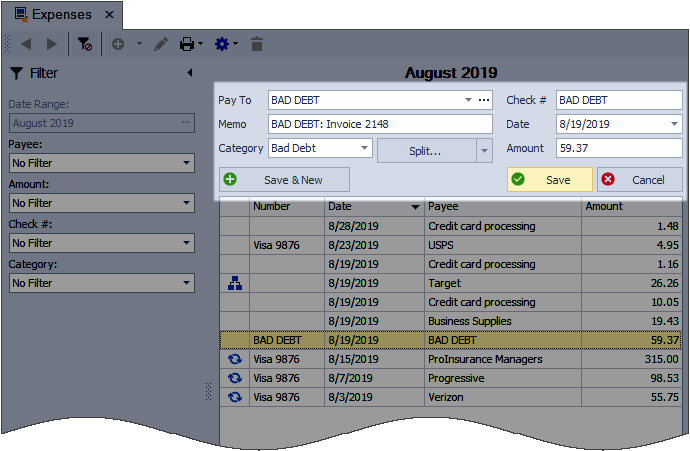
If payment cannot be collected, we recommend using the direct write‑off method. It helps you document the unpaid amount and reflect the loss in your records.
The basic idea is that there needs to be a credit entry made to the accounts receivable (the customer) to remove the amount that will not be collected, and then a debit entry as an expense to report the amount of the loss to your business.
Note: Main Street cannot give tax advice, only general suggestions. Please seek advice from your tax professional on how to handle expenses and income for your individual situation.
Steps:
Create a Critical Reminder & Set Profile Inactive
Clear the Account Balance
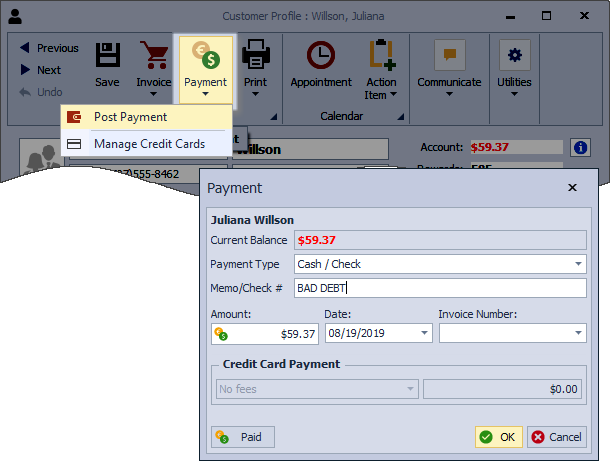
- On the contact profile toolbar, select
 Payment, then choose Post Payment.
 - From the Amount field, enter the amount owed or click to zero out the account.
- Under the Payment Type drop-down, ensure Cash/Check is selected, then in the Memo/Check# field, enter a note such as BAD DEBT.
- When finished, select OK to save and close the dialog.
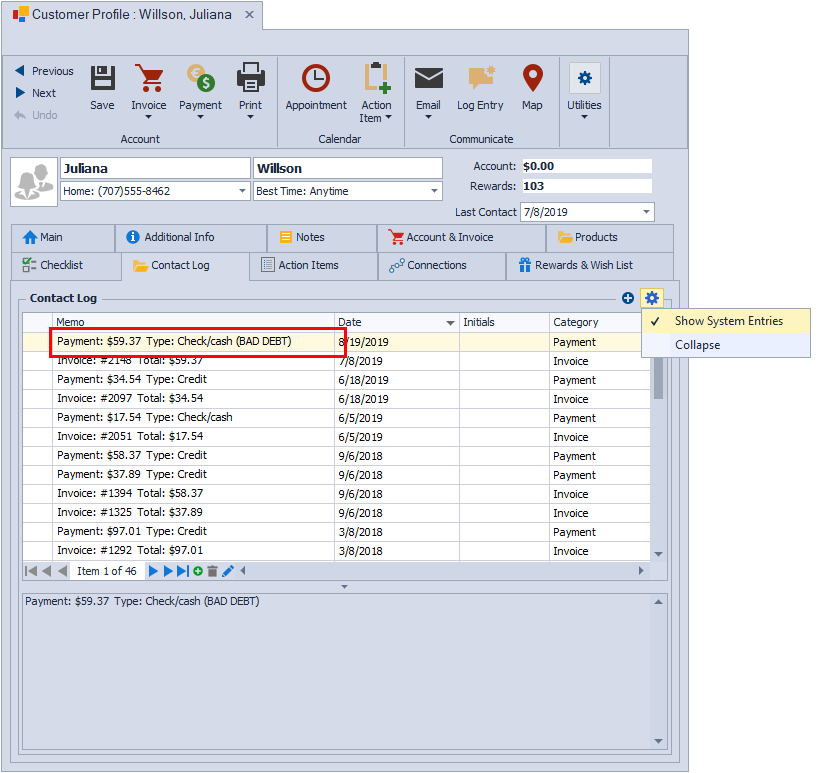
After posting a payment to clear the account balance, a contact log entry will automatically be added.
Create a Critical Reminder & Set Profile Inactive
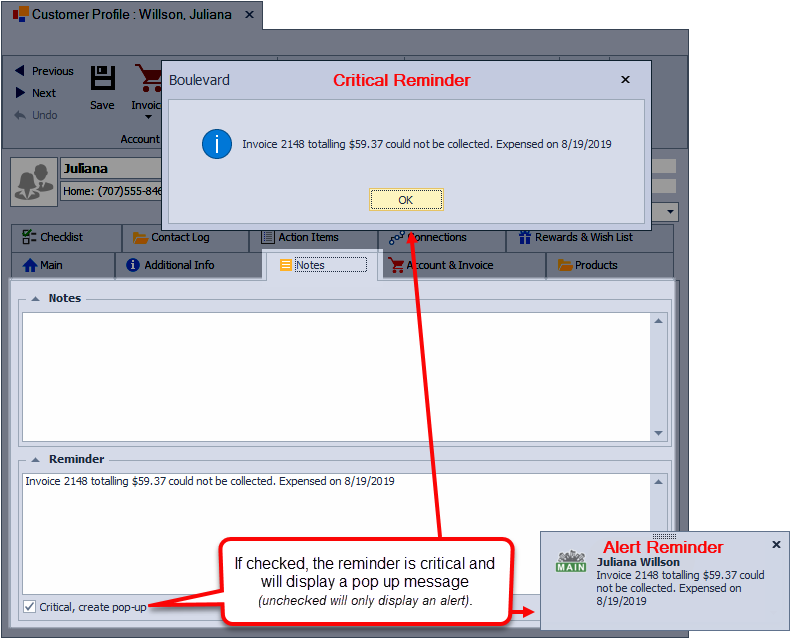
- Select the Notes tab of the profile, and under the Reminder section, reference the bad debt with applicable information.
- Check the Critical, create pop-up checkbox, to ensure you are alerted of the bad debt if there is ever any contact made.
- Select Main tab of the profile, and under the Contact Information section, check the Email Unsubscribe and Inactive checkboxes. View
- Click
 Save, then close the profile.
Add an Expense Entry
Ensure that you have an expense category already created to handle bad debts. As with any business expense, we recommend consulting with your tax adviser to assist with tax-related decisions.
- From the main toolbar, select
 Expenses (or from the Business Tools menu, select Expenses).
- From the Expenses toolbar, click
 to create a new entry.
 - In the Pay To field, type BAD DEBT.
- In the Memo field, reference the contact's name and the invoice number, if applicable.
- From the Category drop-down menu, select the Bad Debt category.
- In the Check # field, type BAD DEBT.
- Enter the Date the account was written off.
- In the Amount field, enter the amount being written off, then select Save.