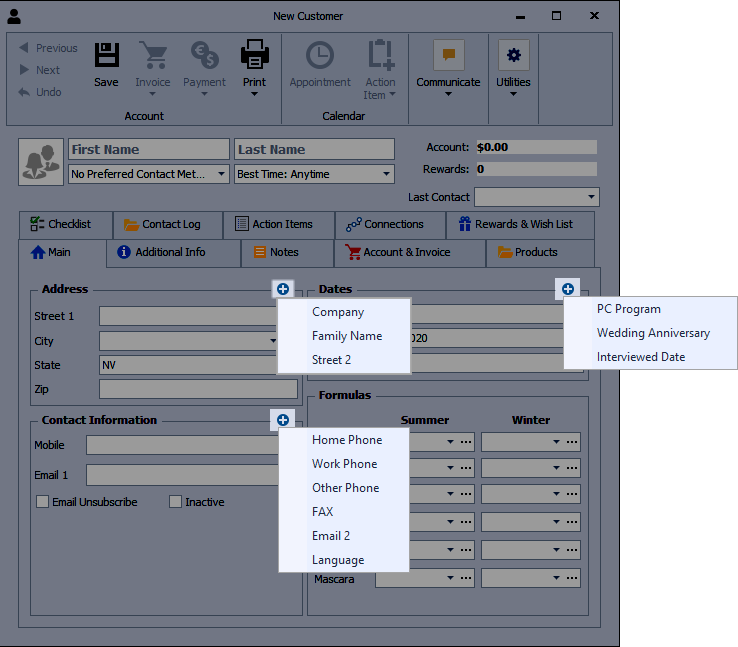
Additional fields can be shown on a contact profile when you need more space for details. In the Address, Contact Information, or Dates sections, click the menu icon to reveal extra fields such as Company, Family Name, Email 2, additional phone numbers, or special dates. Select the fields you want to display, then save the profile. Consultant profiles also include an additional field for recording when they received a Training Packet.
On the contact profile, click the add button  from the applicable section to select an option from the drop-down menu. Repeat to display any additional fields, then when finished, select
  Save.
Save.