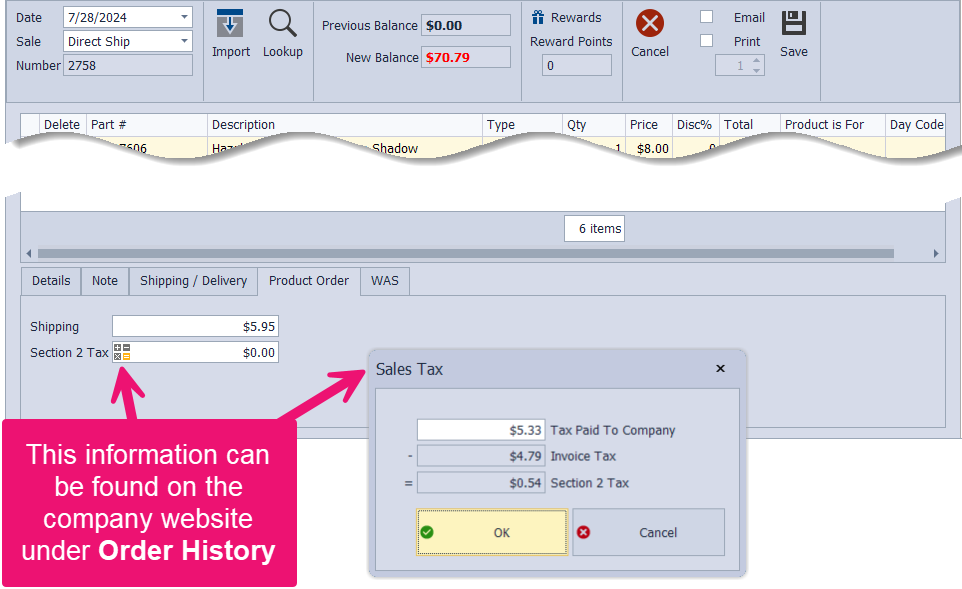
The Product Order tab appears only when an invoice is set to Direct Ship or Guest Checkout. This tab lets you enter the shipping amount the company charged and record any extra tax the company collected (usually because of shipping). It helps ensure the totals match what the company charged so your Product Purchases report is complete for tax purposes.
Shipping: Enter or edit the amount the company charges in the Shipping field.
Section 2 Tax: Click  to enter the entire amount of tax the company charged for the order.
Handling Fee: Enter or edit the fee amount the payment processor charged to process the customer's card in the Handling Fee field.