The Gross Receipts report summarizes invoice data for a selected timeframe, excluding the Bill To type. For tax purposes, it is recommended to capture gross personal sales. The report includes invoice sales categorized by Invoice Type (including separate entries for amounts added to the Shipping or Other field on invoices), along with Discounts, Retail Gifts Given*, and Total Tax Invoiced.
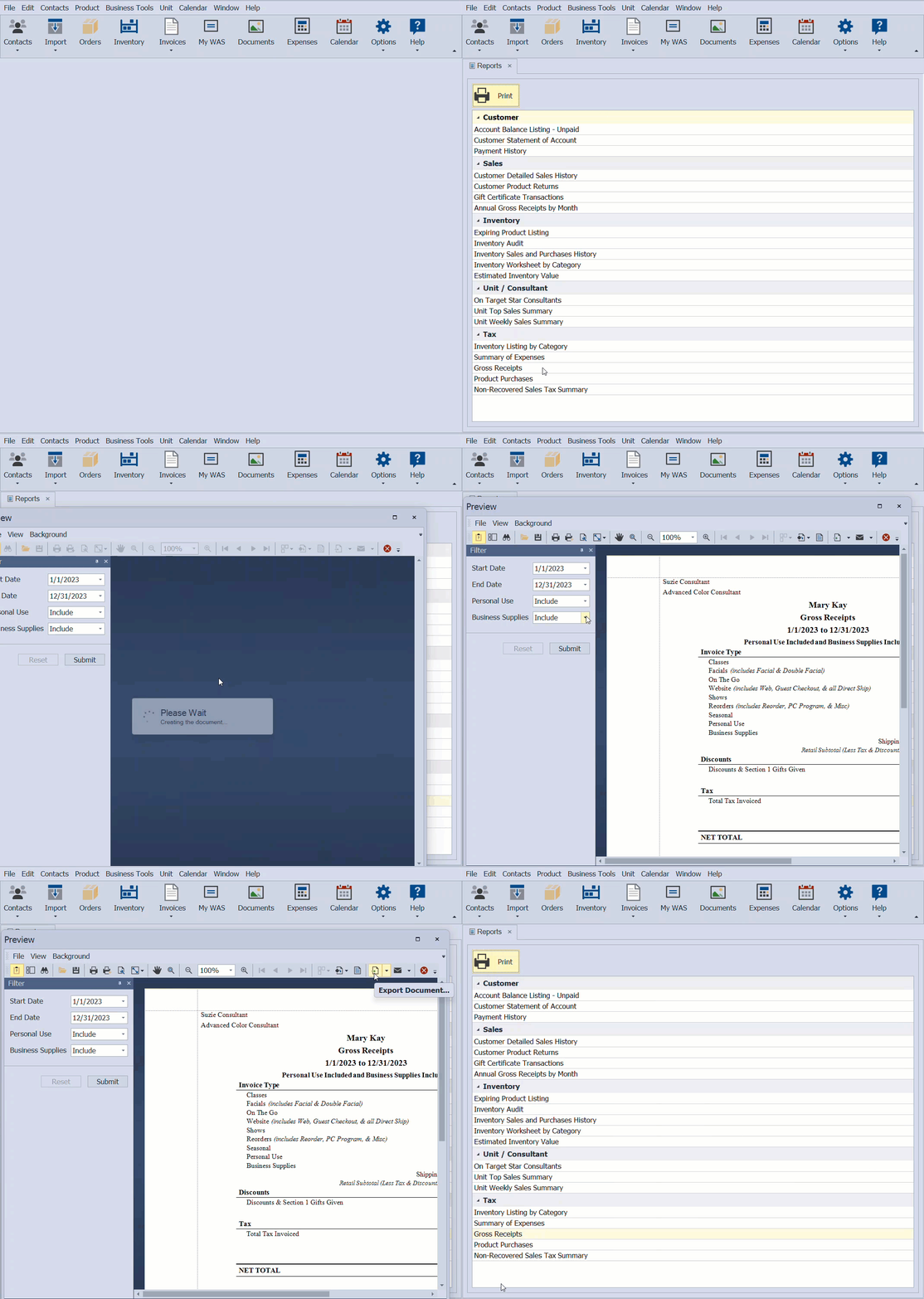
From the Business Tools menu, select Reports.
- Under the Tax section, select the Gross Receipts report, then click
 Print (or double-click on the report).
 - Enter the date range to print, then click OK.
- From the Filter sidebar, choose whether or not to include Personal Use or Business Supplies (click Submit if you change a filter selection).
- From the preview window, click the print button
 to print (or export button
  to export as a pdf).

* Retail Gifts Given include items added to invoices that are not section 2 that have been set as a sale type of Gift. They are not included in the Retail Subtotal of the report or deducted from the Net Total. See Handle Gifts Given Away for more information on how we recommend handling gifts and consult with your tax advisor on how they would like you to record them for your tax situation.
Additional Information:
Important Note: As with Mary Kay, we strongly recommend using the Weekly Accomplishment Sheet solely for unit recognition. It is not intended for tax purposes.
- By default, invoices with a sale type of Personal Use or Business Supplies (demos, expired products, etc.) are included in the Retail Subtotal. In the Discounts section, an offsetting discount is also applied, which leaves only the product's cost in the Net Total. This shows that the product was removed from your inventory, but no profit was made. Additionally, when Business Supplies invoices are created, an expense entry should be recorded to account for the product cost. See Filter Invoices by Name, Number, Invoice or Discount Type if you would like to print Personal Use and Business Supplies information separately.
- Any amount included in the Shipping or Other field on the invoice will be displayed as separate line-item entries under the Invoice Types section of the report. To view the applicable invoices, see Filter Invoices by Name, Number, Invoice or Discount Type to add the columns and view specific invoices.
- Year-End Guide & Checklist
- Close Year-End & Run Tax Reports