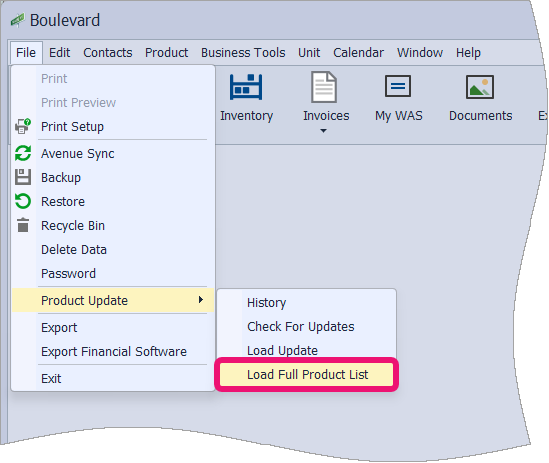
Product Update History shows all product updates that have been loaded, making it easy to confirm whether anything is missing. The history can also be copied and sent to us for review if needed. Subscribers to the Product Update Service have the option to load a full product list, which adds any changes or additions missed over the past three years.
Options:
Send us Your Product Update History
Send us Your Product Update History
- From the File menu, select Product Update, then History.

-
Click on the Copy button, then click OK to acknowledge that the history has been copied to your Windows Clipboard, then click OK to close the form.


- Click the following link to Submit a Request.
- Select inside the Message box. Then, using your keyboard, paste the copied Product Update History by pressing Ctrl plus the letter V (or depending on your browser, right-click and choose Paste).
- Enter your email address, name, and subject, then click Submit.
Load Full Product List
If you are subscribed to the Product Update Service and have missed loading a past product update, you can load a full product list containing all order form changes from the past three years from within the program.
From the File menu, select Product Update, then Load Full Product List.
Follow the on-screen prompts to load the update.