A Customer Premium is a gift‑with‑purchase item that can be added to an invoice when the invoice total meets the qualifying amount set in Preferences. If the premium prompt is turned on, Boulevard will show a list of premium items after saving a qualifying invoice. Premium items are marked in their product settings, and only those items appear as options.
Options:
Customer Premium Prompt
From the Edit menu, select Preferences.
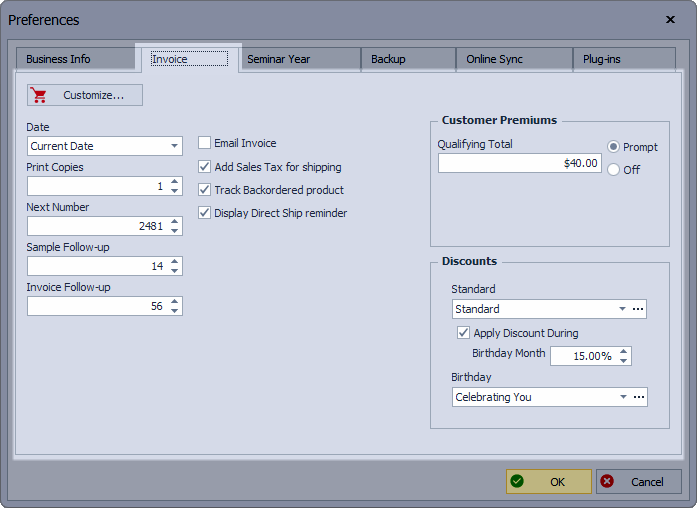
- Click on the Invoice tab, and under the Customer Premiums section, choose either Prompt or Off.
- If Prompt is chosen, enter the Qualifying Total, then click OK to save and close Preferences.
Qualifying Invoices
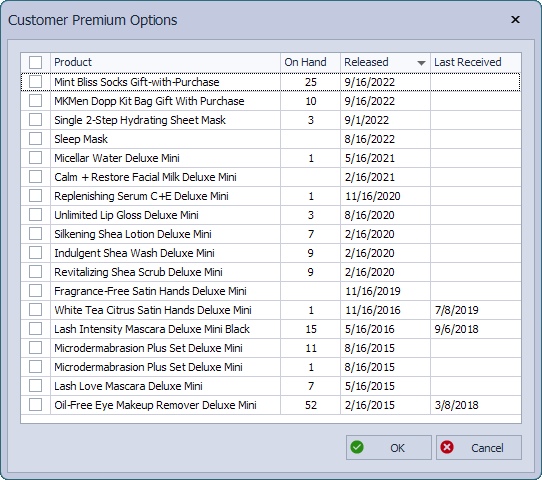
If Prompt is set in Preferences, after clicking  Save on a qualified invoice, the Customer Premium Options dialog will be displayed. Select from the list of premiums to add to the invoice as a Gift. Alternatively, if you select OK without selecting an item, a premium will not be added to the invoice.
Change Gift Options
From the main toolbar, select  Inventory (or from the Product menu, select Product List).
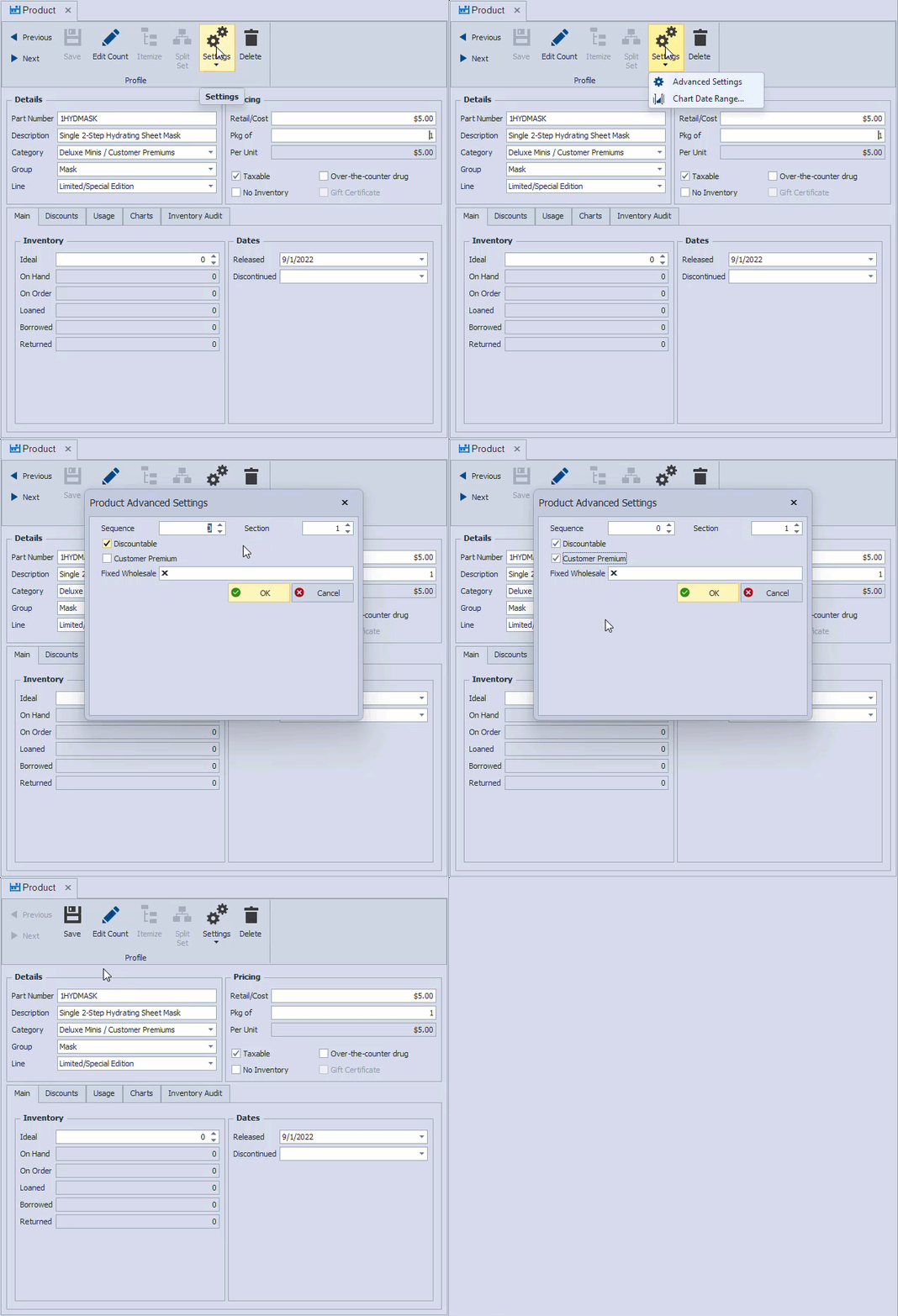
- Find and open the product profile.
- From the product profile toolbar, click
 Settings and then select
  Advanced Settings from the drop-down.
 - Select or un-check the Customer Premium option.
- Click OK to accept and close the form, then Save.
 Advanced Settings
Tracking On Hand Amounts
From the main toolbar, select Inventory (or from the Product menu, select Product List).
- From the product list toolbar, click Settings.
- Depending on your preference, select either Do not Track Section 2 or Do not Track Deluxe Minis, then click OK.

Additional Information:
- For section 1 retail product given as a gift, see Handle Gifts Given Away.