Articles in this section

Sort Contact Lists by Last Name or Other Columns

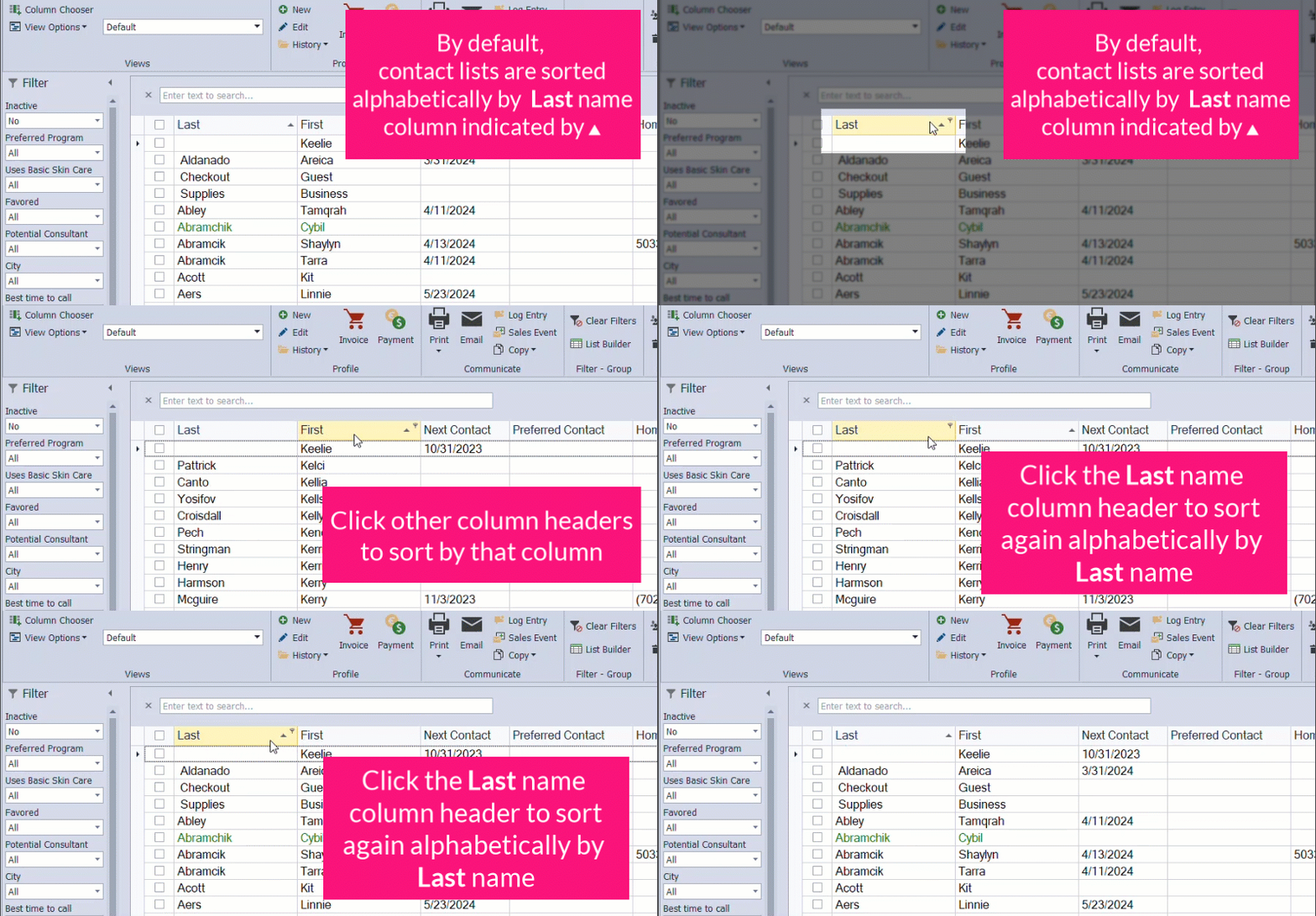
Contact lists in Boulevard display names in alphabetical order by last name by default, helping keep customer, address, and unit lists easy to scan and navigate. However, each list can also be sorted by any of the columns displayed.

 To re-sort the list by the last name, click on the column header Last so that the arrowhead icon is pointing towards the top Column Header Sort (also as shown below).

Last Name Sort


Sort order


Additional Information:

More Resources

  • Billing Account

    Sign in to your billing account to access invoices, make changes to your subscription and more

  • Support Hours

    9 am - 5 pm PT Monday to Friday

  • Events

    Watch recent replays and register for upcoming webinars

  • Videos

    For how-to videos visit our Boulevard software channel on Vimeo