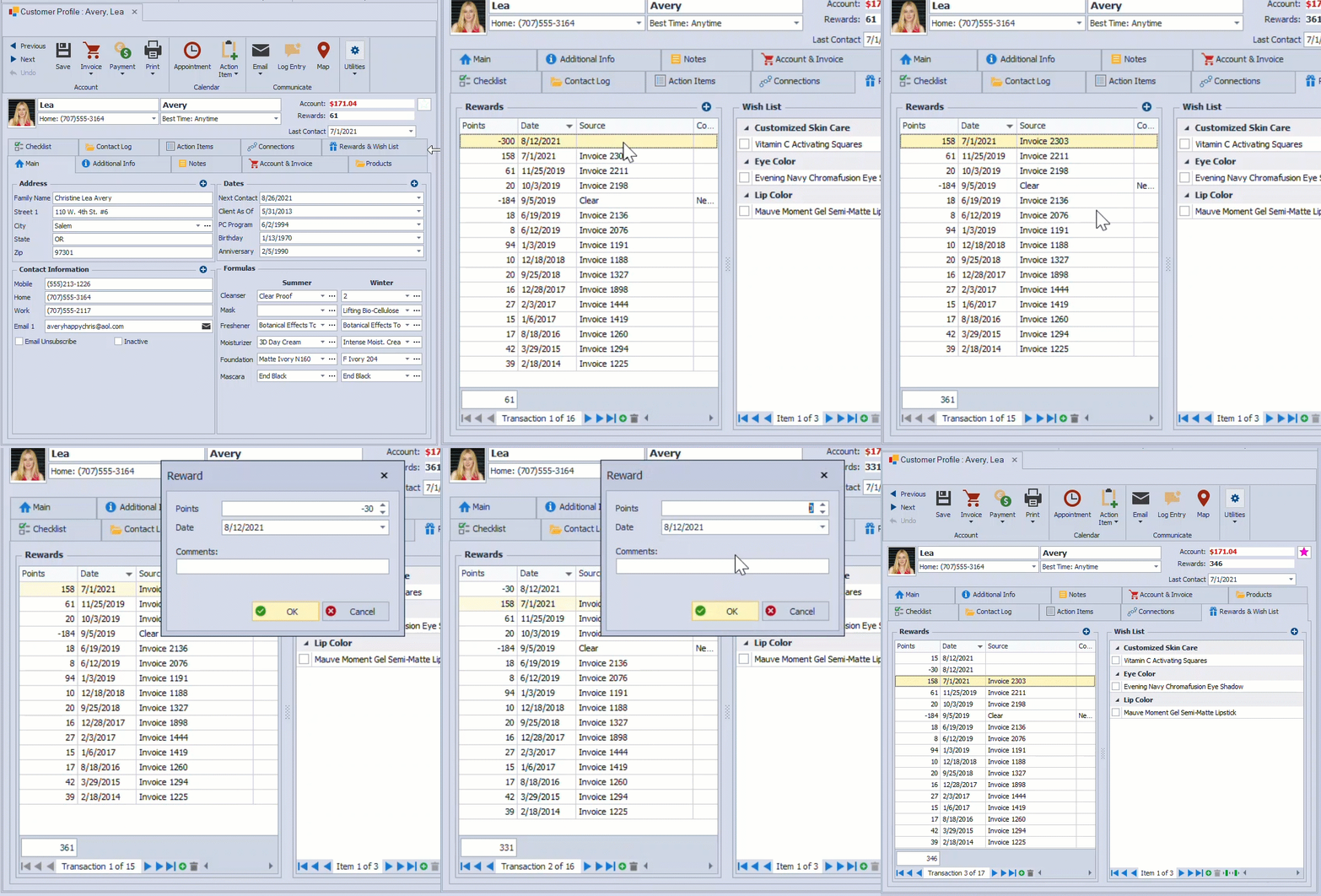
Reward points in a contact profile can be adjusted by adding, subtracting, or deleting points directly in the Rewards section, allowing the balance to be updated immediately for corrections or special circumstances.
- Open the contact profile.
- Click on the
 Rewards & Wish List tab.
 - From the Rewards section, click the add button
 to add an entry (negative or positive points can be added).
- If removing an entry, select the row, click the delete button
 , then click Yes to confirm.
Note: Boulevard will not allow the reward point balance to be less than zero.