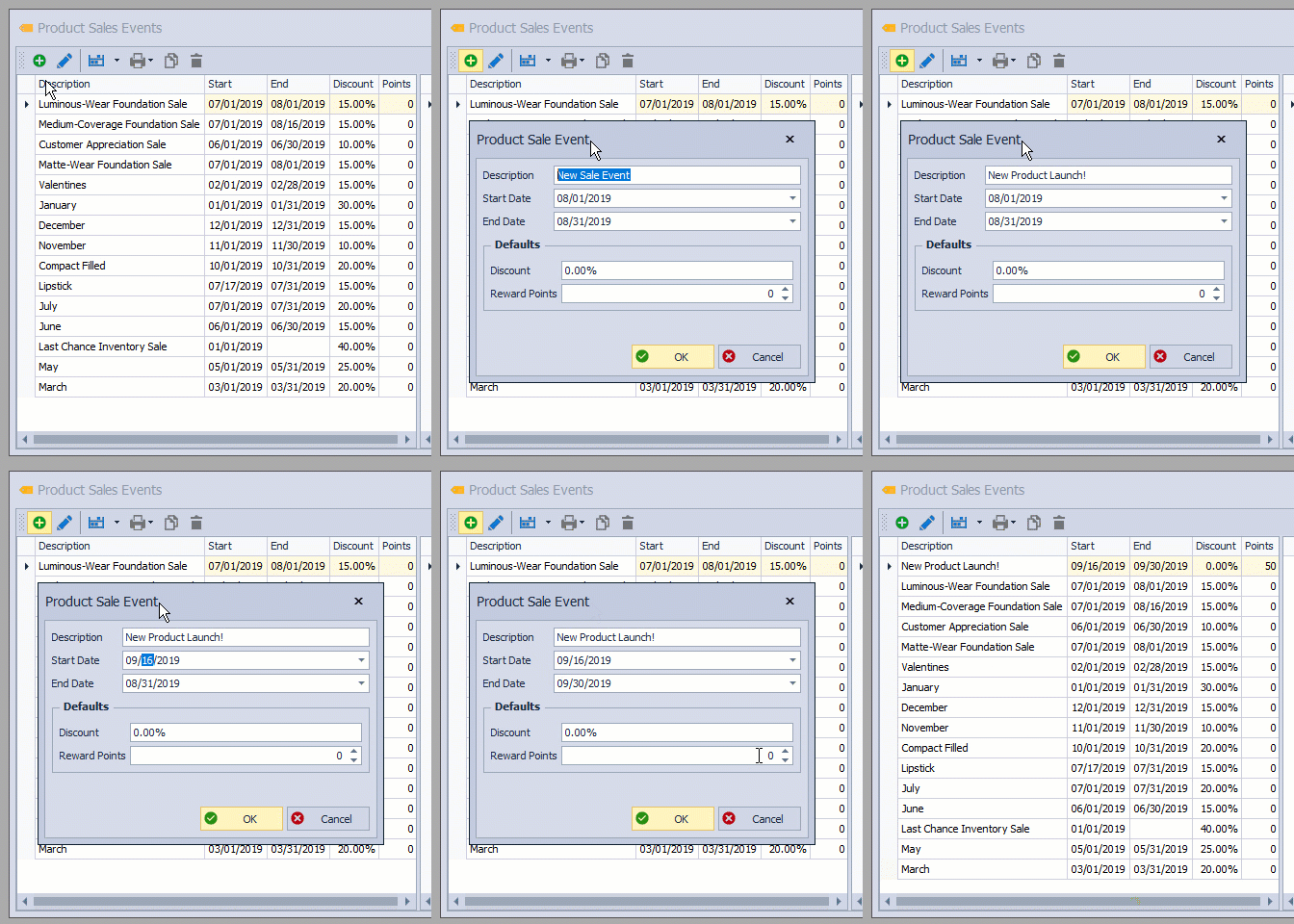
Reward point values can be assigned to a product sales event for promotions such as new product launches or moving discontinued items out of your inventory, while giving the incentive of offering additional bonus points to each item in the event. The event setup includes selecting Sales Events, entering the event details, and setting the default points earned for purchases before adding items to the event list.
From the Product menu, select Sales Events.
Steps:
Create the Event & Assign Points
- From the toolbar, click the add button
 .
. - Fill in the event Description, Start, and End Dates.
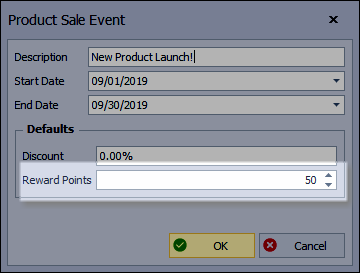
- Enter a discount percentage in the Discount field if the event includes a discount (leave the field at 0.00 percent if the event includes points only). Then enter the number of points earned when the item is purchased in the Reward Points field.
- Click OK to accept and close the form.
Add Items to the Event
See Create, Edit or Delete a Product Sales Event to add items that will be included in the event.