The Upcoming Events section is located on the right-hand side of the application. It provides a quick reference for viewing past, current, and future appointments, action items, follow-ups, birthdays, anniversaries, and auto-delivery.
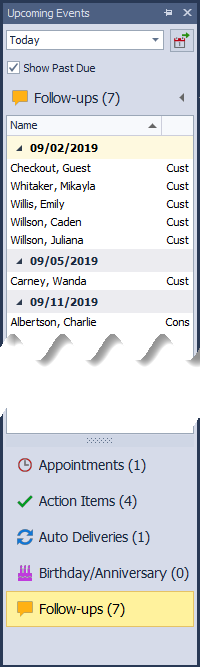
From the Calendar menu, select Upcoming Events.
To change the date range of events, from the drop-down menu select:
- Today
- 7 days
- 14 days
Choose whether to Show Past Due items (if applicable)
Right-Click Menu Options
Appointments: Edit, Delete, New Appointment or Action Item
Action Items: Edit, Mark Complete, Delete, New Appointment, Action Item, or View Profile
Auto Deliveries: New Auto Delivery, Edit, Delete, View Profile, Invoice, and Move To
Birthday/Anniversary: View Profile
Follow-ups: Edit, Mark Complete, View Profile