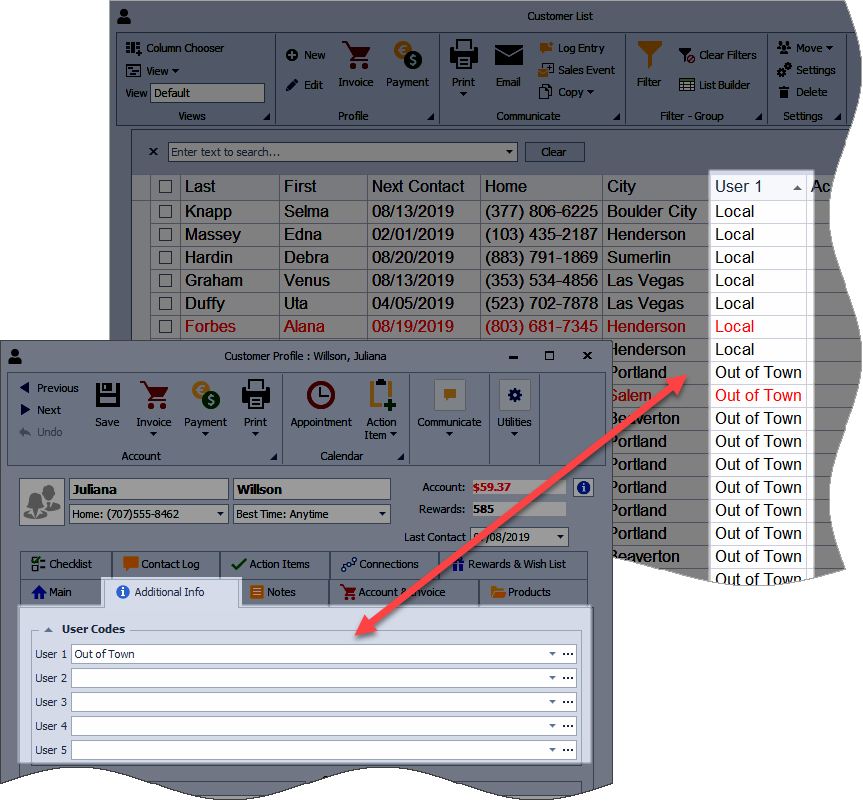
User Code fields allow you to add custom, profile‑specific information to contact profiles. These fields are included in views and applicable reports, making it easier to sort, filter, and organize contacts based on criteria unique to your business.
For example, use them to group contacts that live in a particular area - Westside, Eastside, Local, Out of Town, etc. When printing reports, labels, or sending a group email, filter on any of these fields to only include those contacts.
Type directly in the user code field or choose from a previously added entry. Click ... to edit previous entries.
Additional Information:
For more information on adding the User Code fields to the customer list, see Add, Move, or Hide Columns on Contact Lists or Create a View or Custom Report.