The Tax tab will only appear if you're using the Canadian or UK version of Boulevard. Depending on your country, it includes the different Tax Rate options for your province, Business Number (if applicable), beginning Tax Year, and additional Calculation Options for tax on Section 2 (supplies or non-retail items) and Shipping.
For the US, the Sales Tax field is displayed under the Business Info tab in Preferences.
To access, select Options from the main toolbar, then  Sales Tax (or from the Edit menu, select Preferences, then Tax).
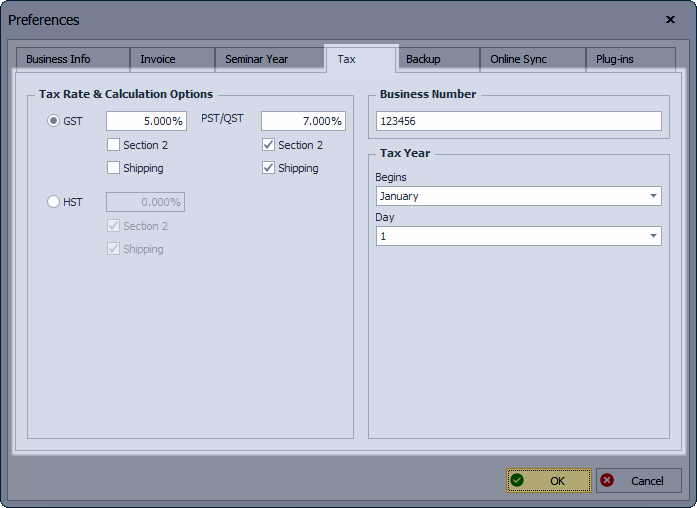
- Tax Rate & Calculation Options: Set the default sales tax rate and other taxable options for your province to be applied to invoices and inventory orders.
- Business Number: If applicable, enter your Business Number
- Tax Year: Ability to set a different Tax year to be used when generating reports.