Products can be moved into a special category called Archived Product in the product list. Once discontinued retail items (excluding supplies) are placed in this category, they will no longer appear in reports or searches throughout the program, except within the product list itself (such as invoices and orders).
From the main toolbar, select  Inventory (or from the Product menu, select Product List).
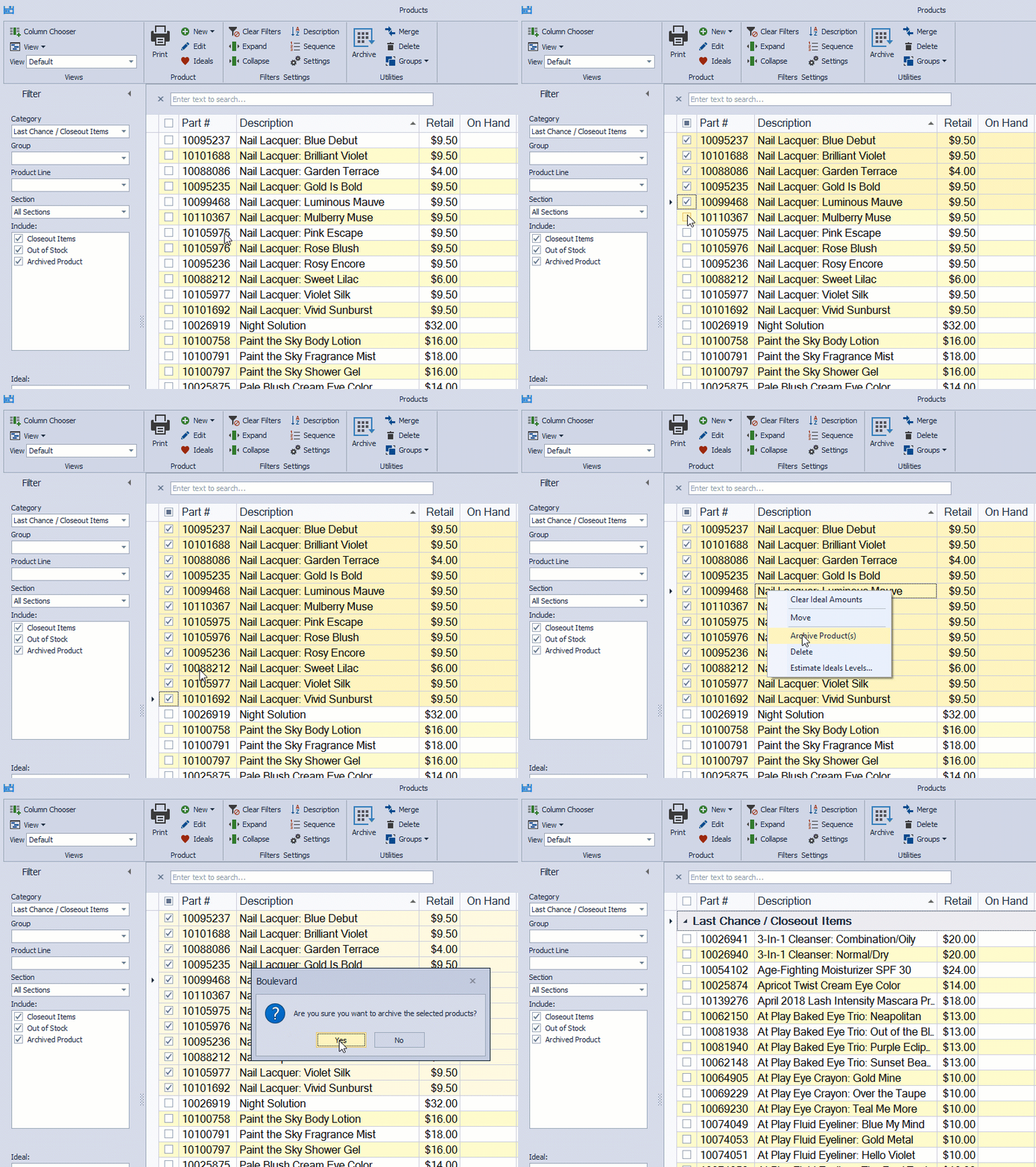
Select the checkbox next to each item, then from the product list toolbar, click Archive (or right-click and select Archive Product(s)). If any archived items have On Hand amounts (positive or negative), a message box will pop up to alert you. Select Yes to confirm.
Tip: If you accidentally archived too many items or moved the wrong item to the Archived Product category, see Move Multiple Products at One Time. Or if you're on the Product Update Service, you can Load a Full Product List to move all products back into their correct categories.
Additional Information:
- Find or Search for Products
- To move a single item to a different category, open the product profile and select an option from the Category drop-down.
- Move Multiple Products at One Time
- Delete Old Products from the Product List (recommended for non-retail/business supply items - such as section 2)