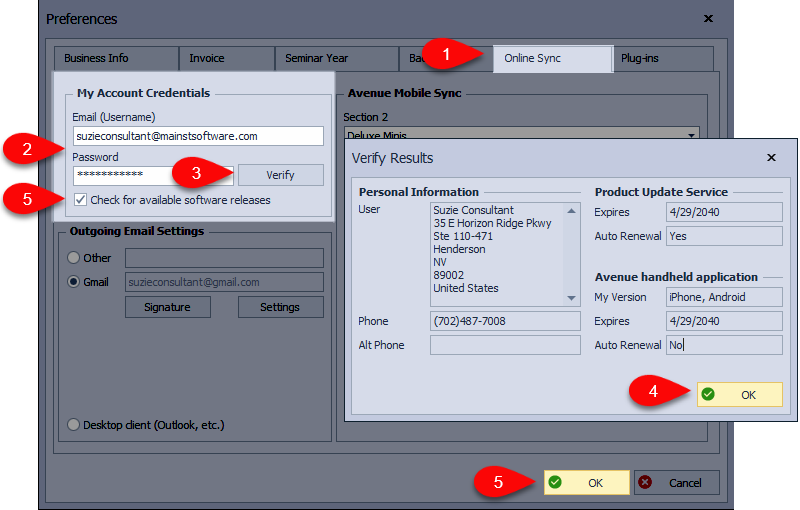
If an error appears while loading a product update or software release, it can mean the email or password stored in Boulevard no longer matches the Main Street account. Updating credentials and relinking them in the Online Sync tab usually resolves the issue.
If you are unable to open Boulevard, see Boulevard Not Opening from Shortcut or submit a ticket. Otherwise, try relinking to your account from the Online Sync tab in Preferences. If you need to change the email address or reset the password on your account, see Updating the Email Address or Password for Your Main Street Account, then Verifying Credentials in Boulevard.
If you think you might have missing products or updates, see View Product Update History or Load a Full Product List for additional assistance.